YouTube
YouTube Thumbnail Maker
Most YouTube thumbnail makers hand you a blank canvas and a stock library. Thumbn starts from the video itself: it watches your footage, finds the second most likely to stop a scroll, and builds the thumbnail around it.
You get a 1280x720 image sized correctly for YouTube, and an editor that takes instructions in plain English rather than layers and handles.
Or upload an MP4 up to 200MBPlans from $19/mo, cancel anytime
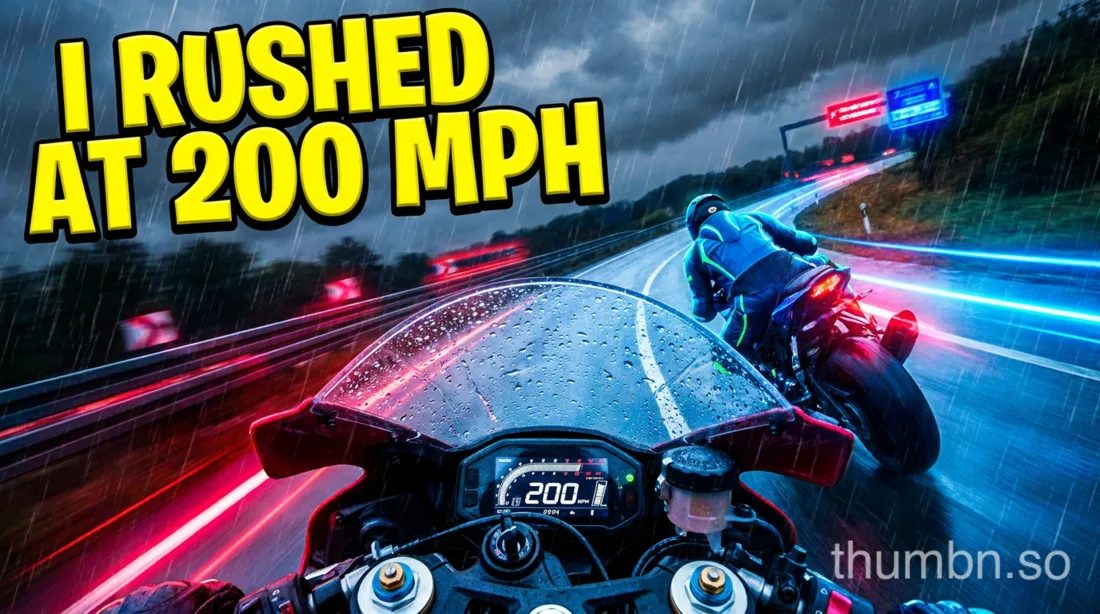

Both rendered from one video, in one run.
Specifications
YouTube thumbnail size and specifications
- Resolution
- 1280 x 720 pixels
- Aspect ratio
- 16:9
- Minimum width
- 640 pixels
- File formats
- JPG, PNG, GIF
- Maximum file size
- 2MB
How Thumbn makes a YouTube thumbnail
Paste a YouTube link or upload the video file. Thumbn watches the footage scene by scene with timestamps, rather than asking you to describe it.
It picks the single most clickable second, writes a thumbnail concept in the style you choose, and renders it at 1280x720, the size YouTube expects.
Each render is then scored against that style's rubric and re-edited until it clears the bar. Every version is kept, so you can go back to any earlier one.
Editing a YouTube thumbnail after it is generated
A generator that stops after one image is not much use. Click any thumbnail and tell the agent what to change: bigger text, a different background, a red arrow, a tighter crop on the face.
The agent edits that exact image and returns a new version. Nothing is overwritten, so the earlier one is always still there.
You can attach reference images too, so your own face, logo or brand colours stay consistent across a whole channel.
What makes a YouTube thumbnail get clicked
Thumbnails are judged at about 210 pixels wide in a sidebar, and smaller again on a phone. Anything that only works at full size is wasted.
That means one clear subject, a face with a readable expression where the video has one, high contrast against YouTube's dark and light themes, and at most three or four words of text.
It also means being honest. A thumbnail that oversells gets the click and loses the watch time, and YouTube's ranking cares far more about the second number than the first.
For creators who publish on more than one platform
The same concept renders vertically for TikTok and Instagram Reels in the same run, so a single video does not need three separate design sessions.
See the TikTok thumbnail maker and the Instagram Reels thumbnail maker.
Frequently asked questions
What size should a YouTube thumbnail be?
1280 x 720 pixels, a 16:9 ratio, at least 640 pixels wide. YouTube accepts JPG, PNG and GIF up to 2MB. Thumbn renders at exactly this size, so nothing is cropped or rescaled on upload.
Is there a free YouTube thumbnail maker?
Thumbn is a paid tool: plans start at $19 a month. Free thumbnail makers exist, but they work from templates and stock images rather than from your actual video, which is the part that makes a thumbnail match the content.
Can I edit a YouTube thumbnail after generating it?
Yes. Click any thumbnail to point the agent at it and describe the change in plain English. It returns a new version and keeps the old one, so you can compare or revert.
Can it put my face on the thumbnail?
Upload a photo of yourself as a reference image and the model works from it. Note that AI image models refuse to generate real, identifiable people from a text description alone, so a reference image is how face consistency is done.
What is a good click-through rate on YouTube?
It depends on where the impressions come from and how big the channel is, so a single number is misleading. Compare a new thumbnail against your own previous videos in YouTube Studio rather than against a blanket benchmark.
Make your next YouTube thumbnail
Give Thumbn the video. It finds the moment, renders the thumbnail, and keeps editing until it earns the click.
- Every version kept
- No watermark on paid plans
- Cancel anytime